Hello Snapcraft team and community,
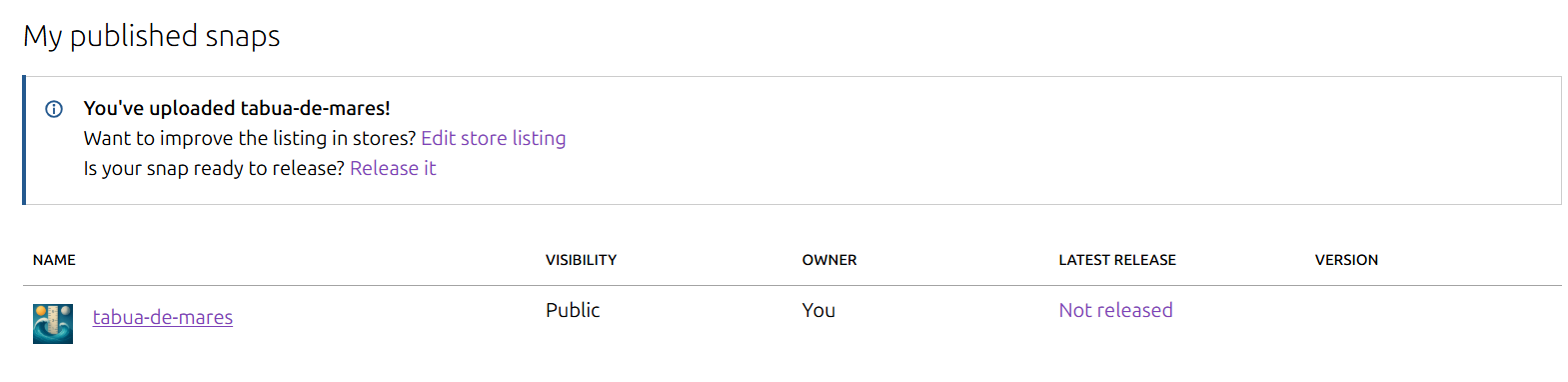
I submitted the first version of my snap tabua-de-mares last week, and it is still showing as pending review in the Snapcraft dashboard.
Snap page: https://snapcraft.io/tabua-de-mares
I would like to ask if there is an estimated timeframe for the review process, or if any additional information or action is required from my side to move the review forward.
I send a email too
Thank you in advance for your time and support.
Best regards,
ewertonrfd
This request has not been added to the review queue. It should be placed in the appropriate store-requests subcategory using the subcategory template for classic-confinement, privileged-interfaces and aliases requests.
1 Like
Edited the post now with category
Hi there,
This is due to a false positive in one of our review scans which matched against something in your snap’s metadata (things like the description of the snap or its name). I am unable to share exactly what caused this check to fail but I have updated the configuration to prevent the issue in the future.
Cheers!
1 Like
Hi,
Now I have wait?
There in dashboard is: “Your Snap is in the queue for manual review. When approved, you will receive an email, and you will be able to change the visibility of your Snap.“
Hi,
You should be able to run a command like “snapcraft release tabua-de-mares 1 latest/stable” to release your uploaded snap to the Store. I’m not sure why you are receiving that message as the snap has already passed review.
1 Like
This request has been added to the queue for review by the @reviewers team.
1 Like
Hi,
The “store-request-bot” messages are automated, right?
But do you know how long it usually takes to review them?
The bot is at least partially automated, but I believe the latest message is caused by a human doing something (unfortunately I don’t have much insight into the bot as it’s managed by a different team).
In this case, the issue was that your snap was still marked as “visibility locked”, likely due to the earlier automated review failing. I have now unlocked the visibility so you should be able to change the visibility of the snap. Please let me know if the banner message doesn’t go away, there may be some other buttons I need to push.
1 Like
Great,
Thank you very much.
Just one more question: after switching to public, it still takes a while for the URL to work, right?
Because the app’s URL is still showing a 404 error in the store.
But the preview shows the correct information, from what I’ve seen.
Or I have send my app again (upload)?
Regards
I think I understand now. I had to promote a release.
Releases → select a version → click the “promote” button and then save.
Sorry for the questions, this is my first app submission to the store.
Thanks