To make the review of your request easier, please use the following template to provide all the required details and also include any other information that may be relevant.
name: leafviewer
description: A read-only viewer for documents, books, pictures, music, films, archives and 3D models (more than 1,700 kinds of file). It opens files and never changes them.
snapcraft: PRIVATE
upstream: PRIVATE
upstream-relation: developer and publisher (Ontiqo Pty Ltd)
plugs:
  removable-media:
    request-type: auto-connection
    reasoning: people open files from USB sticks, external drives and second disks (/media, /mnt) as often as from
      their home folder; a viewer's whole job is to open the file the person picks. Leaf only reads the files the
      person opens or browses to in it, never writes to them, and never scans drives. Without it, opening a file
      from another drive fails until they run "snap connect leafviewer:removable-media" (a user hit exactly this
      on 4 November and reported it as a bug).
Leaf Viewer is on the Snap Store as leafviewer (stable, amd64 and arm64). It already plugs home; this asks only that removable-media connect by itself. Thank you.
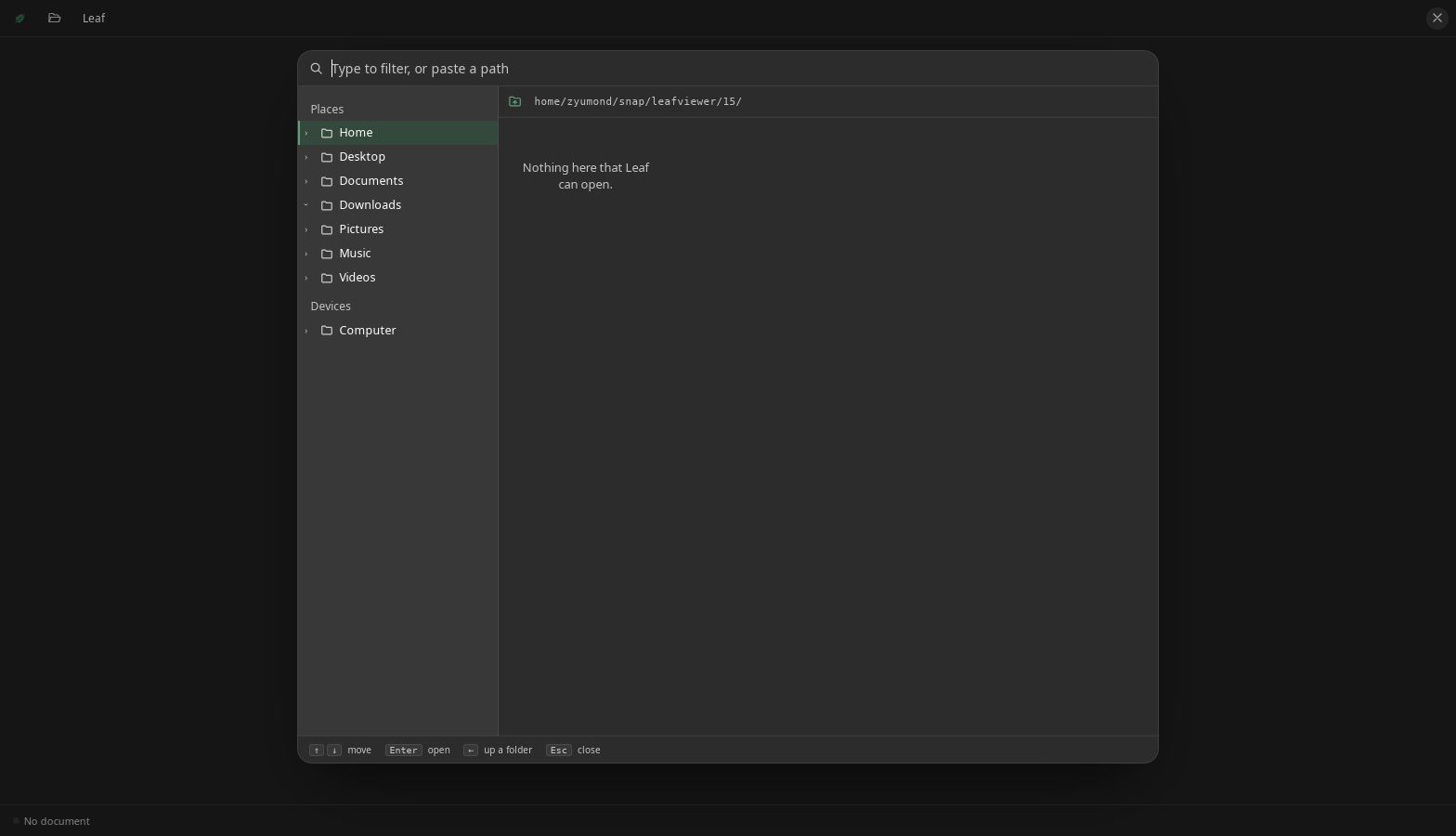
Thanks @Kyuyrii, well spotted. Leaf’s Open window was taking $HOME, which inside the snap is ~/snap/leafviewer/<revision>, so Home, Documents and Downloads were all the snap’s own empty folder.
Fixed in 2.2.0.2, on stable now (revisions 17 and 18). Rather than overriding HOME for the whole app, which would send its settings to the real home’s hidden folders where the snap can’t write, Leaf now uses $SNAP_REAL_HOME for the places it offers to browse. Its own settings stay in the snap’s folder.
Do not forget that doing this will break when the user or admin disconnects the home interface.
If you expect your app to be used in enterprises where some admins do exactly this for extra security, it might break …(there is a very valid reason for making snaps default to that path)
Thanks @ogra, good point. In Leaf’s next release the Open window on Linux is the desktop’s own file chooser (through the portal in the snap), so with home disconnected a file you choose still opens. A file Leaf is handed by path and can’t read, such as a double-click in the file manager, now says that the snap’s home permission is off and points to Open instead of failing. I checked both on Ubuntu 24.04 with snap disconnect leafviewer:home.
According to the documentation for the removable-media interface, auto-connect is typically not granted. The standard guidance in this case is to use snapctl is-connected to detect whether the interface is connected and prompt the user to manually connect it if needed.
While Leafviewer falls into the media players/viewers category (which is considered a potential exception), the fact that this is a private complicates the request.
In addition, as this is a super-privileged interface, publisher vetting is required. Since this is a private project, you will need to verify your account through our Verified Accounts process.
Once that process is complete, this is a +1 from my side to grant auto-connection of the removable-media interface to the Leafviewer snap!
On snapctl is-connected: Leaf Viewer already handles the unconnected case. If a file on removable media can’t be read, it says that the removable-media permission isn’t connected, and gives the snap connect leafviewer:removable-media command along with the alternative of using Open. Since 2.2.1, Open uses the desktop’s file chooser through the portal, so a file on a USB stick or another drive can always be opened that way. Auto-connection would only save the user from doing that when they open a file straight from a removable drive.