This category is for handling requests for privileged interfaces, formerly known as auto-connections. The process is documented in Process for aliases, auto-connections and tracks.
To make the review of your request easier, please use the following template to provide all the required details and also include any other information that may be relevant.
name: guestbay
description: Creates and runs virtual machines (Windows, Linux and macOS guests) with the QEMU included in the snap.
snapcraft: PRIVATE
upstream: PRIVATE
upstream-relation: developer and publisher (Ontiqo Pty Ltd)
plugs:
  kvm:
    request-type: auto-connection
    reasoning: running virtual machines is what the app is for. /dev/kvm is used only to start the QEMU shipped in
      the snap. Without it every virtual machine runs in software emulation, many times slower, and Windows guests
      are unusable.
slots:
  dbus-app:
    interface: dbus
    attributes:
      bus: session
      name: app.guestbay.Guestbay
    request-type: manual-connection
    reasoning: GTK 4 app. GApplication registers the app ID on the session bus so only one window runs. The name is
      the app ID and matches the desktop file. Without the slot the app does not start.
where:
- : the name of the interface as defined in the snapcraft.yaml .
- interface: the interface being requested. Only required if different from interface-name
- attributes: the interface attributes. Only required if attribute are defined in the snapcraft.yaml.
- request-type: one of installation (ie. permission to upload the snap to the store using this interface), connection (ie. permission to allow the snap interface to be connected) or auto-connection (ie. permission for the snap interface to be automatically connected when the snap is installed).
Example request:
name: foo-snap
description: audio player and recorder
snapcraft: https://github.com/jslarraz/foo/snapcraft.yaml
upstream: https://github.com/jslarraz/foo
upstream-relation: maintainer
plugs:
  audio-record:
    request-type: auto-connection
    reasoning: this is needed to record the microphone, which is one of the core
      functionalities of the snap.
  dot-config-foo:
    interface: personal-files
    attributes:
      write: $HOME/.config/foo
    request-type: auto-connection
    reasoning: the application needs to access its configuration files
  removable-media
    request-type: manual-connection
    reasoning: media files are frequently stored in external disk.
slots:
  com-jslarraz-foo:
    interface: dbus
    attributes:
      bus: session
      name: com.jslarraz.foo
    request-type: manual-connection
    reasoning: Notte is a Flutter/GTK3 desktop application that requires
      a D-Bus session bus slot (com.notte.notte) for proper desktop integration.
      The GTK toolkit registers on the session bus for window management,
      single-instance enforcement, and accessibility services. The bus name
      matches the application ID. Without this slot, the app fails AppArmor
      policy checks on launch.
This request has been added to the queue for review by the @reviewers team.
Hey @brharrow
Regarding the dbus slot, the bus name makes perfect sense to me, so I’ve gone ahead and granted it. The snap now passes automatic review cleanly
Regarding kvm I also think this is expected for the snap functionality. Thus, +1 from me for granting auto-connection to it.
I would also like to recommend you to apply for the Verified Accounts status. By completing this process, you will gain the green tick in the store, so that your customers know that they are downloading this snap from an authoritative source.
Thanks!
Hello @brharrow,
I agree with @jslarraz above, this is expected access and, as such is a +1 from me for granting auto-connection for the kvm interface to the guestbay snap.
+2 for, 0 against granting guestbay auto-connection to the kvm interface. This is now live
Thanks @jslarraz and @elisehdy for granting the dbus slot and kvm. Version 1.8.0 adds one more interface that needs a review.
Guestbay 1.8 can show a virtual machine’s apps as windows on the desktop, and the person can choose to add one of those apps to their app menu. Guestbay then writes a .desktop file for it in ~/.local/share/applications and keeps its icon in ~/.local/share/guestbay. It reads ~/.config/user-dirs.dirs only to find the Desktop folder.
name: guestbay
plugs:
  guest-app-launchers:
    interface: personal-files
    read:
      - $HOME/.config/user-dirs.dirs
    write:
      - $HOME/.local/share/applications
      - $HOME/.local/share/guestbay
    request-type: installation, auto-connection
    reasoning: The launchers are always named guestbay-<vm>-<id>.desktop, and their Exec is only the snap's own command (/snap/bin/guestbay with the virtual machine and app to open, and any files given to it). Guestbay never writes any other kind of launcher, and only writes one when the person asks for it.
Revision 3 (1.8.0, amd64) is waiting for this review, and revision 4 (arm64) is queued behind it. Could you allow installation with this plug and auto-connect it for guestbay? Thanks.
Hi @brharrow,
Write access to ~/.local/share/applications is generally prohibited, as it enables a trivial sandbox escape. There are several precedents where this has been discussed:
I would also recommend avoiding the direct creation of desktop files, as this may be restricted in the near future.
The appropriate way to support this use case in sandboxed environments would likely be through the DynamicLauncher portal. However, this does not seem to be supported by snaps at the moment. There is a relevant bug report here: DynamicLauncher rejects all app ids under Snap · Issue #2014 · flatpak/xdg-desktop-portal · GitHub.
@Trevinho, do you have any insight into why this does not work with snaps and whether there are plans to address it?
An alternative solution could involve the Documents and FileChooser portals, as discussed here: We need to talk about $HOME/.local/share/applications
Thanks!
Thanks @jslarraz, that makes sense, and thanks for the links. I’ve withdrawn the request: Guestbay 1.8.0 no longer has the personal-files plug. In the snap, a guest’s apps can now only be added to the desktop, and revisions 5 and 6 passed automatic review.
We’ll look at the DynamicLauncher portal for the app menu once it works with snaps, and I’ll follow xdg-desktop-portal#2014.
The Document Portal is better. When the user selects $HOME/.local/share/applications, the app can save the obtained path, making it possible not only to create .desktop files without the user needing to confirm every time, but also allowing your app to remove .desktop files.
The Dynamic Launcher Portal seems dysfunctional.
When Bottles added support for the Dynamic Launcher Portal, I tested it; if I’m not mistaken, I was on Fedora KDE, so the KDE version was recent.
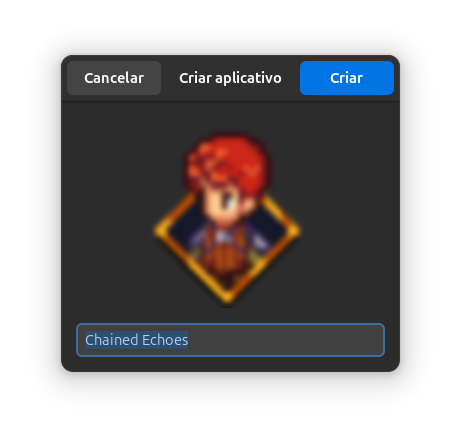
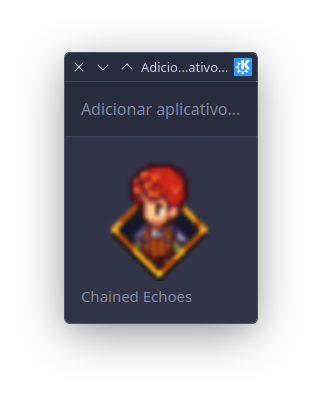
This was the difference between using the Dynamic Launcher Portal in Gnome and KDE.
The option to choose the name and the button to confirm creation did not exist in KDE.
Thanks @Kyuyrii, that worked well. Guestbay 1.8.0.snap1 (revisions 7 and 8, now on stable) does it that way, with no personal-files plug:
- The first time someone puts a guest app in the app menu, Guestbay asks once and opens the folder chooser at
~/.local/share/applications, so they only press Choose. Settings has the same choice.
- Guestbay keeps the document-portal path in
$SNAP_USER_COMMON and writes or removes only its own guestbay-*.desktop launchers there. It checks that the chosen folder really is the app menu folder.
- Tested on Ubuntu 24.04 GNOME: launchers show up in the app grid, removing works, and the grant still works after a reboot.
Thanks again @jslarraz for pointing us to the portals.
2 Likes